An edition is the simplest thing you can launch on Bullet: one artwork, minted as many copies, each one a full LiquidCollectible with a real market behind it. No contracts to write, no metadata folders to prepare — if you have the artwork, you can be live in about ten minutes.
Before you start
- —A wallet with ETH on the Robinhood chain — you pay gas for a single launch transaction.
- —Your artwork — PNG, JPG, GIF, or WEBP. Animated GIFs are fully supported and play everywhere on the site; the banner on this page is a live GIF from the HERESY collection.
- —Optionally, your X account — connecting it in the form verifies you as the creator, and your pfp and handle appear as the creator credit instead of a bare wallet address.
Everything happens from Studio under Launch. The wizard saves a draft as you go, so you can leave and come back without losing anything.
Step 1 — Identity
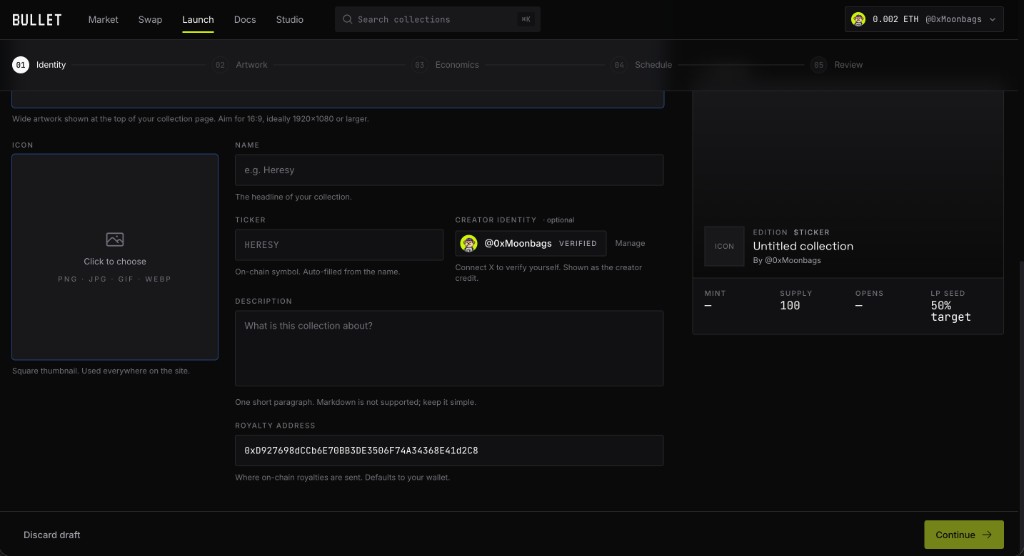
Cosmetics first: this is everything buyers see before they look at a single number.
Step 2 — Artwork
Pick Editions, upload the piece, and decide how many copies exist. That number becomes your total supply — anywhere from 100 to 10,000.
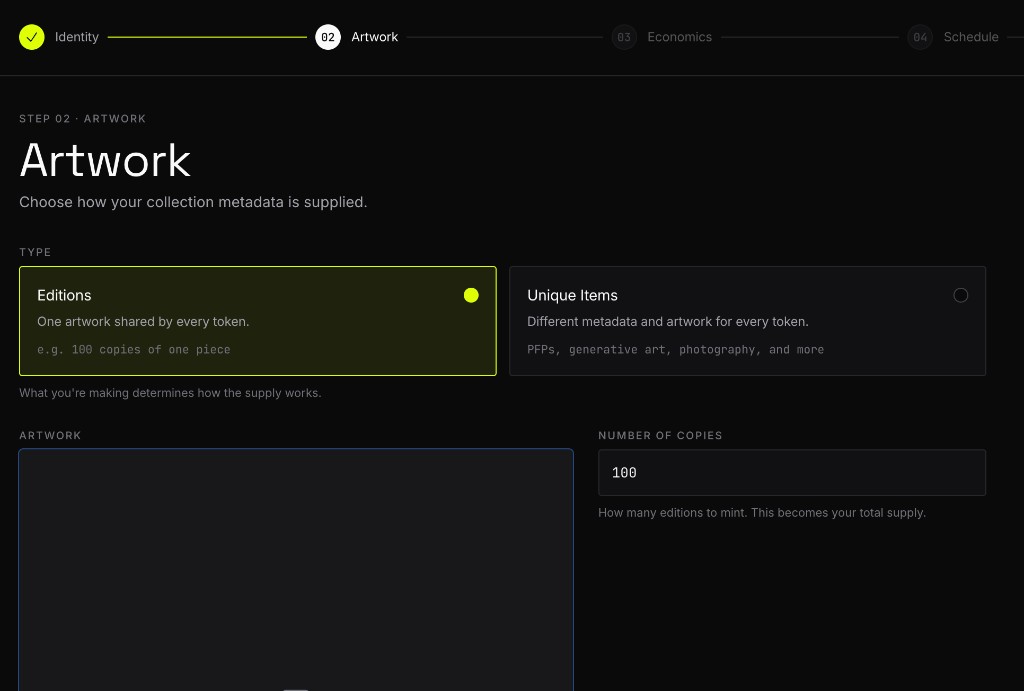
Every copy shows the same art, so supply is your main creative decision. 100 copies is a tight, collectible run; 10,000 is a community-scale drop. There's no changing it after launch — supply is fixed on-chain.
Step 3 — Economics
Editions sell on a bonding curve, so there is no mint price to set. Instead you answer one question — how much do you want to earn? — and the curve is built backwards from your answer. Ask for more and every copy costs more; the arithmetic is done for you and shown live as you type.
Your earnings come from a 7.5% creator fee charged on every trade against the curve, buys and sells alike. The number you enter is what that adds up to if the sale completes.
- —Reserved for creator — up to 30 copies minted straight to your wallet at launch. They are locked until the collection graduates, so a reserve cannot be dumped into your own sale.
- —Buying opens — pick the start time, at least an hour out. That hour is your window to set up allowlists, and it is the only window you get.
There's also the tokens-per-NFT ratio. The standard preset (10,000 tokens per copy) is right for almost everyone; it controls how finely each edition can be fractionalized when trading. Leave it on Standard unless you have a specific reason not to.
The first copy is the cheapest and the last is the most expensive — five times the first, on the standard curve. Buyers can also sell back into the curve at any point, at whatever it currently quotes, which is why the collection is liquid before it ever reaches Uniswap. See how mints work for the buyer's view.
Step 4 — Review and launch
The review step shows everything in one place. When you hit Launch, the sequencer takes over and walks through the steps on-screen:
- —You sign a message that reserves your ticker while the launch is in flight.
- —Your icon, cover, artwork, and metadata are pinned to IPFS — permanent, not on our servers.
- —One transaction deploys the contract, opens the curve, and creates the Uniswap pool atomically. It is the only on-chain step, and nothing about the sale can be misconfigured afterwards because there is nothing left to configure.
Before you sign, the review step runs your launch against the live chain as a simulation. If anything would fail, you find out there rather than from a reverted transaction.
The launch is resumable. Every completed step is saved, so if your connection drops or you close the tab mid-launch, coming back and hitting Launch again picks up exactly where it stopped — it will never redeploy.
Allowlists, before buying opens
Allowlists are set up in Studio after you launch, on your collection's Whitelist tab. Add up to five phases, give each one a duration, and grant per-wallet allowances by pasting addresses in.
Every phase and every allowance must be in place before buying opens. The sale locks its own configuration at that moment and there is no way to add a wallet afterwards — not by us, not by you. The tab counts down to the deadline and stops accepting changes when it passes. If you need longer, push the open time back from that same tab while the window is still open.
After launch
- —Your mint page goes live at its own URL — share it directly; it unfurls with your artwork on socials automatically.
- —The Studio is your command surface from here: edit the description and links, set up allowlists before the deadline, and watch the curve fill.
- —When the curve sells out the collection graduates: the ETH it raised and the supply held back for liquidity become a permanent Uniswap market, and trading moves there. Nobody has to trigger it and nobody can stop it.
- —Your creator fees accrue as you go and are claimed from Studio.