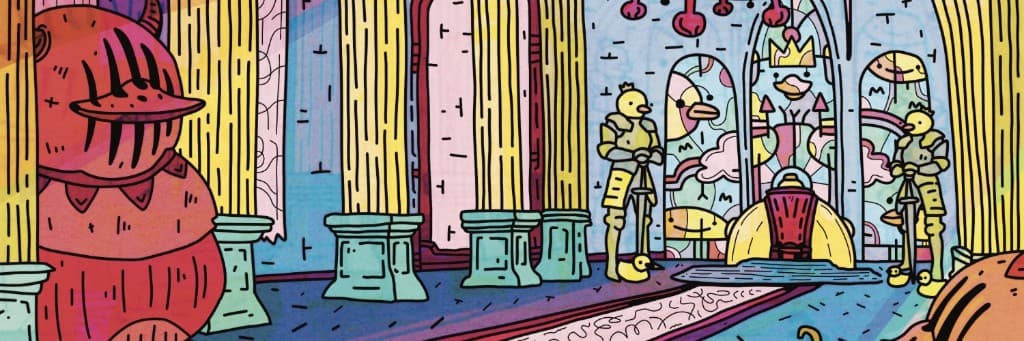
The Bullet generator turns a folder of trait PNGs into a finished generative collection. Composited, deduplicated, rules honored, handed straight to the launch wizard. If you launch on Bullet, the whole pipeline ends up free, including IPFS pinning. This is the full walkthrough, including exactly what costs credits and where.
What's free and what costs credits
Start here so nothing surprises you later. Everything about building is free: uploading traits, rarity, rules, templates, custom tokens, drafting, and generating your entire supply at full resolution. Launching on Bullet is free too. Credits only come in for two things: asking the AI to make traits for you, and taking your files out of Bullet.
Put that export line next to the market for a second. The going rate at per-token exporters like Bueno is 0.00009 ETH per token, every token, no volume break. At recent ETH prices that's around $50 to export a 250-piece set and north of $2,000 for a 10k. Same zip of images and metadata here: 120 credits, about twelve dollars, and a full 10k tops out at 2,000 credits, about $200. That's not a launch promo, it's the price. Roughly a tenth of the going rate, and the bigger your collection, the harder the gap works in your favor.
Where credits come from, and why half of every purchase burns BOSS, is covered in the Creator Studio article. Short version: buy a pack with ETH, or hold TOXIN for 100 free credits per NFT every month.
File requirements
The generator is strict about inputs on purpose. Every mid-run failure in tools like this traces back to a stray JPEG or a mis-sized layer. Meet three rules and generation just works.
- —PNGs only. JPEGs, WEBPs, and GIFs are rejected at upload with the reason shown next to the file. Transparency is expected on most layers so lower layers show through, but opaque PNGs are accepted too. They get marked “opaque” in the trait grid as a reminder that they cover everything beneath them.
- —Identical dimensions. The first trait you upload sets the canvas, say 2000×2000, and every file after it must match exactly. Layers stack 1:1 and are never scaled.
- —One trait per file, one folder per layer. Name things the way you want them to appear: a file called Laser Eyes.png inside a folder called Eyes becomes the trait “Laser Eyes” on the layer “Eyes”.
The Traits tab
Upload your parent folder in one go. Subfolders become layers, filenames become trait names. Re-upload after a re-export and matching names update the artwork in place, with weights and rules keeping their settings. Rejected files are listed with reasons, never silently dropped.
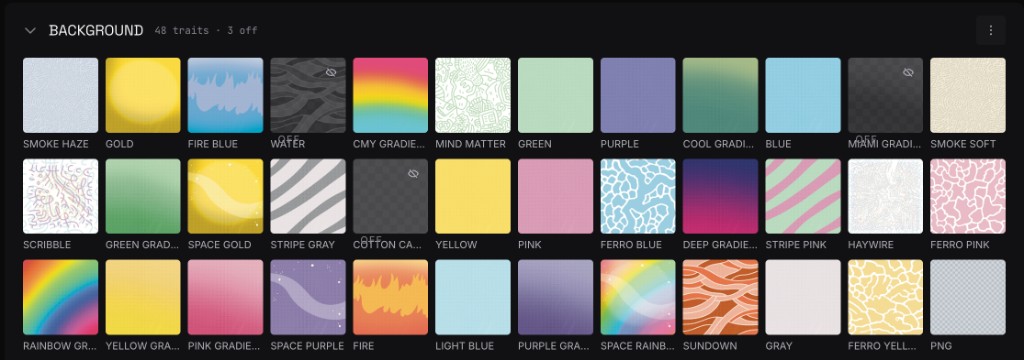
Turning traits off without deleting them
Every trait tile has an eye icon. Click it and the trait stays in your project but leaves the generation entirely: it stops appearing in drafts, drops out of the rarity math, and its rules go quiet. Toggled-off traits show dimmed with an “off” badge, and the layer header counts how many are off so nothing hides from you.
This matters more than it sounds. Testing whether the set looks better without a trait used to mean deleting it and hoping you kept the file. Now it's one click off, draft, look, one click back on. Weights, rules, and target counts all survive the round trip.
The AI expander
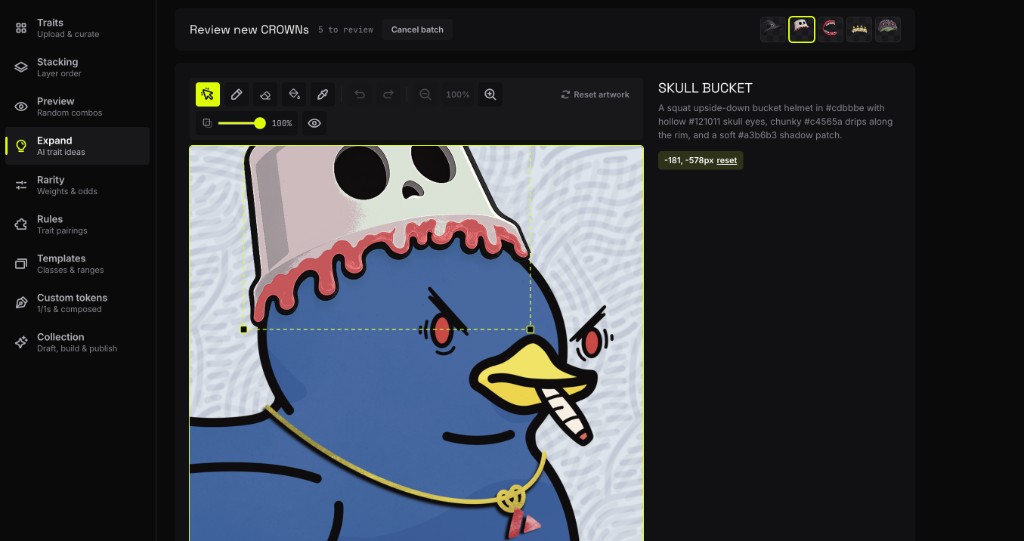
This is where credits actually get spent, so here is exactly how the meter runs. The expander generates new traits in your collection's style: more hats, more backgrounds, a color run of an existing trait.
- —Suggestions, 1 credit. Ask for trait ideas on a layer and get a list of named concepts to pick from. Cheap on purpose, so brainstorming never feels expensive.
- —Style brief, 10 credits. A one-time analysis of your uploaded art that teaches the generator your line weight, palette, and shading. Do this before your first batch, every candidate after it comes back closer to your style.
- —Candidates, 15 credits each. Each new trait you request is one candidate. Ask for four hats, pay 60 credits, and review each one composited on real tokens before accepting. Any candidate that fails to generate refunds itself automatically.
- —Recolors, 8 credits each. Same flow, cheaper rate, because recoloring an existing trait draws no new shapes.
- —Edits, 15 credits. Point at one existing trait, type an instruction, get a revised version to approve or discard.
Nothing generated joins the collection without your approval, and rejected candidates cost nothing beyond the generation you already paid for. If your balance runs short mid-flow, the buy screen opens prefilled with the exact shortfall.
Stacking
Drag layers to set the pile: top of the list paints in front, bottom is your background. What you see in the stack is exactly how every token composites. Up to 20 layers, up to 200 traits per layer.
Rarity: weights and exact counts
Every trait has a weight slider. Weights are relative within a layer, and the live percentage shows the effective chance including the layer's empty-slot weight, with projected counts once you set a supply.
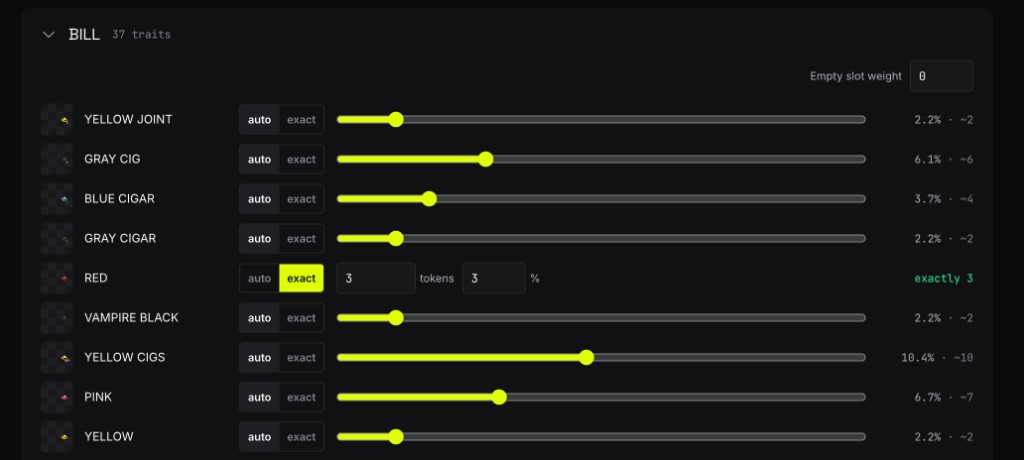
When a slider isn't precise enough, switch a trait to exact mode and give it a count or a percentage. The generator seeds those placements first and tops the trait up to exactly that number. Want precisely 100 gold chains in a 10k set? Set 100 and that is what you get. Not an estimate, the exact number.
Every layer also has a built-in “none” option with its own weight, so a layer can simply not appear on some tokens. No need to upload transparent placeholder PNGs.
Rules
Six rule types cover almost every real collection. Rules are hard constraints (or soft nudges) the generator enforces on every single token, in drafts and in the final build alike.
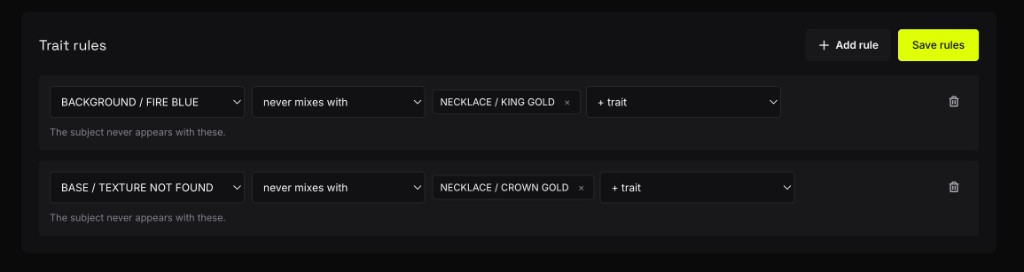
Rules interact with everything else the way you would hope: exact counts respect them, the draft enforces them, and traits toggled off take their rules out of play until they return.
Templates
Templates split one supply into classes that draw from different layers. Add a template, name it, give it a count, and the row of layer pills on its card decides which layers that class uses. Every pill is a toggle: click one and that layer is off for this class only. Counts across templates must add up to your supply, and generation refuses to start until they do.
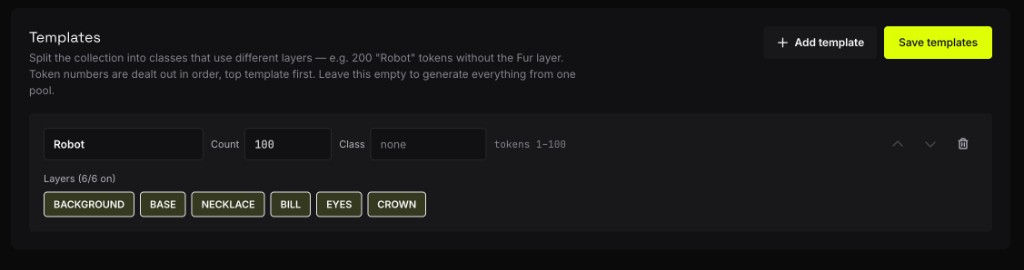
Here is how you'd actually use this. Say this duck collection should include 100 robots, and robots need their own bodies. Give the robot art its own layer: upload a Robot Base folder next to Base, then turn Base off on the Robot template and Robot Base off on the main one. Each class pulls from its own pool and they never bleed into each other. That is the whole pattern: class-specific art lives in its own layer, and templates decide who gets it. It's much cleaner than mixing robot and duck bodies in one folder and trying to separate them with rules.
Token IDs are assigned as contiguous blocks in template order, the first template owns #1 through its count and the next picks up from there. The optional Class field stamps a Class attribute into the metadata of every token in the template, so marketplaces can filter by it. No templates means one implicit template with every layer on, identical to not using the feature at all.
One-of-ones
The Custom tokens tab handles the guaranteed one-offs. Two kinds:
- —Uploaded 1/1s. Finished artworks dropped in whole. They skip the layer system entirely and land at random positions in the set.
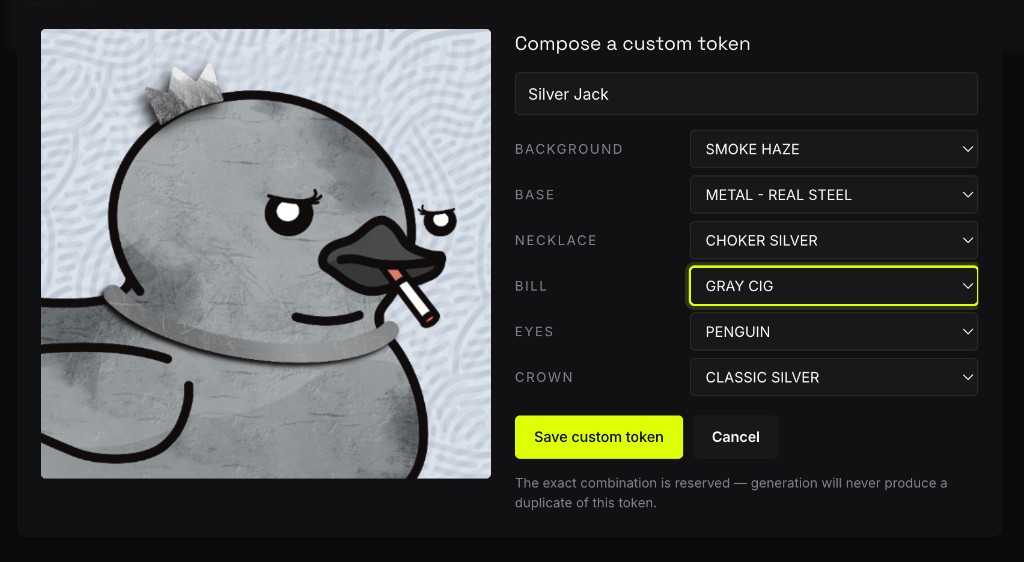
- —Composed customs. Hand-pick one trait per layer to build a specific combination, like dressing a character. The combo is reserved: the generator will never mint a duplicate of it elsewhere in the set.
The Collection tab
One tab runs the whole lifecycle:
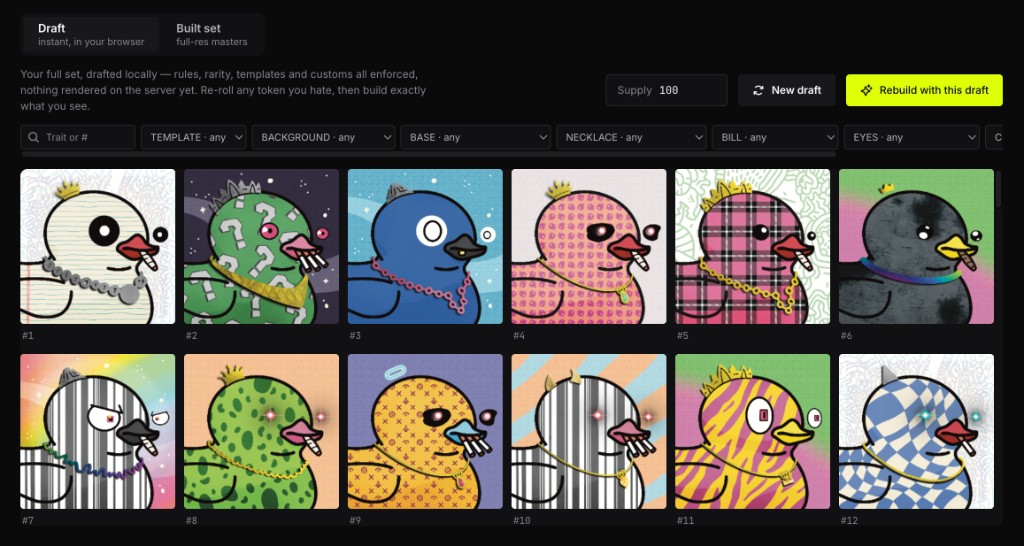
- —Draft. Your entire supply generates instantly in the browser with every rule, weight, template, exact count, and custom enforced. Filter, search, re-roll single tokens. Drafting is also the feasibility check: if your rules can't produce the supply, you find out here with the reason, not mid-run. “New draft” is a free, instant re-shuffle, as many times as you want.
- —Build. The server renders the exact set you drafted, same seed, full resolution, with a live progress bar. Free.
- —Built. Browse every finished token and pin, launch, or export from the same screen.
Pinning, launching, and exporting
Editing never closes. When you like a generation, pin it. That publishes an immutable snapshot to IPFS, and you can keep tweaking afterwards: pinned sets are never touched by a re-roll, and you can pin a newer generation whenever you want.
- —Pin to IPFS. The full set, images plus metadata, streams to IPFS and you get copyable ipfs:// URIs. CIDs are computed before the upload and verified byte for byte after it. Pinning costs the same credits as an export, because a pinned set is publicly fetchable whether or not you launch. But the charge is refunded in full the moment a Bullet collection launches pointing at your pinned set. The refund is verified on-chain against the contract's base URI, no good faith involved.
- —Launch on Bullet, free. One click sends a pinned set into the launch wizard with the metadata URI and supply pre-filled. The contract's base URI points at the pinned snapshot, so nothing you edit afterwards can affect a live collection.
- —Export, from 120 credits. Want the raw files to launch somewhere else? Download a zip of every image and metadata file. Pricing steps with supply: 120 credits up to 250 tokens, 240 up to 500, 400 up to 1,000, 750 up to 2,500, 1,250 up to 5,000, and 2,000 for a full 10k. That lands at roughly a tenth of what per-token exporters like Bueno charge, as covered up top. You pay once per generation, and retries or re-downloads of the same set are free. If you're short, the buy screen opens prefilled with the exact amount you need.
Tips from collections that went sideways
- —Draft early. If your rules only permit a few thousand unique combos, the draft fails with the reason right away. Better to learn that before you promise a 10k supply.
- —Watch the effective rarity, not the slider. Rules shift real frequencies. A “1% trait” that only mixes with one body type will land more or less often than the slider implies. The draft's per-trait counts show the real numbers.
- —Toggle, don't delete. Unsure about a trait? Turn it off and draft again. Deleting throws away the upload and its settings, toggling keeps both.
- —Run the style brief before your first AI batch. 10 credits once, and every 15-credit candidate after it lands closer to your style. Skipping it is the expensive option.
Ready? Open the generator from Studio and upload your first layer folder.